Exporters
Flexible Exporter
• The Flexible Exporter enables the user to save a document (or corpus) in its original format with added annotations.
• The user can select the name of the annotation set from which these annotations are to be found, which annotations from this set are to be included, whether features are to be included.
• various renaming options such as renaming the annotations and the file.
Init parameters
At load time, the following parameters can be set for the flexible exporter:
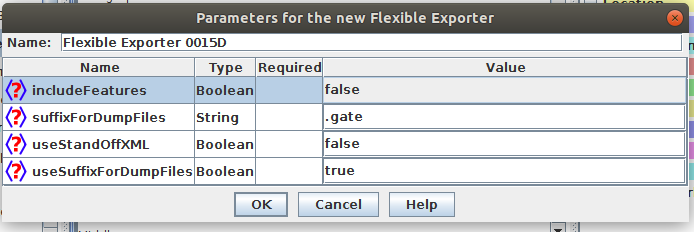
includeFeatures: if set to true, features are included with the annotations exported; if false (the default status), they are not.
useSuffixForDumpFiles: if set to true (the default status), the output files have the suffix defined in suffixForDumpFiles; if false, no suffix is defined, and the output file simply overwrites the existing file (but see the outputFileUrl runtime parameter for an alternative).
suffixForDumpFiles: this defines the suffix if useSuffixForDumpFiles is set to true. By default the suffix is .gate.
useStandOffXML: if true then the format will be the GATE XML format that separates nodes and annotations inside the file which allows overlapping annotations to be saved.
Runtime parameters
The following runtime parameters can also be set (after the file has been selected for the application):
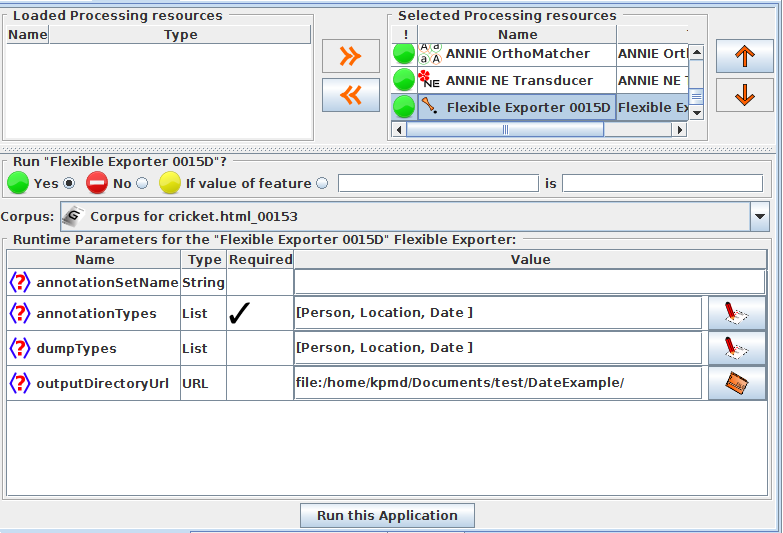
• annotationSetName: this enables the user to specify the name of the annotation set which contains the annotations to be exported. If no annotation set is defined, it will use the Default annotation set.
• annotationTypes: this contains a list of the annotations to be exported. By default it is set to Person, Location and Date.
• dumpTypes: this contains a list of names for the exported annotations. If the annotation name is to remain the same, this list should be identical to the list in annotationTypes. The list of annotation names must be in the same order as the corresponding annotation types in annotationTypes.
• outputDirectoryUrl: this enables the user to specify the export directory where the file is exported with its original name and an extension (provided as a parameter) appended at the end of filename. Note that you can also save a whole corpus in one go. If not provided, use the temporary directory.
Infer Results
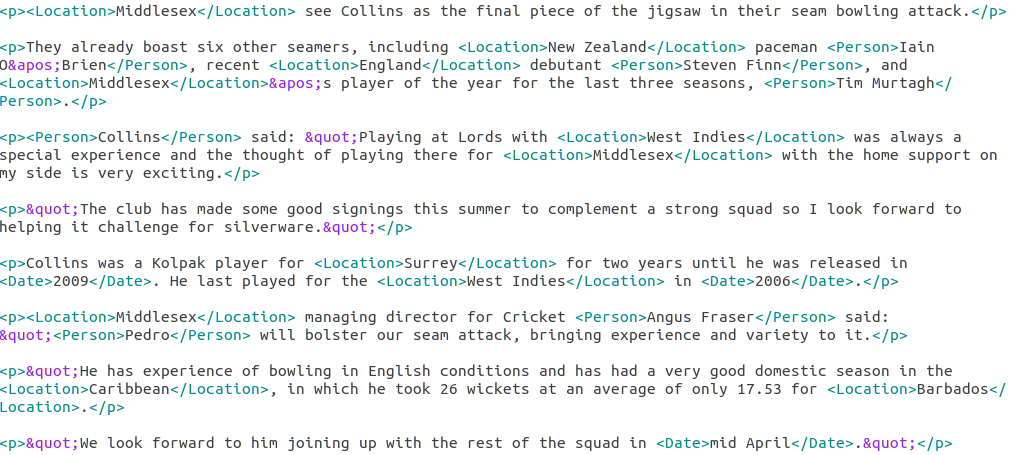
In this way we will get all the annotations included in our documnet.
Configurable Exporter
The Configurable Exporter allows the user to export arbitrary annotation texts and feature values according to a format specified in a configuration file.
It is written with machine learning in mind, where features might be required in a comma separated format or similar, though it could be equally well applied to any purpose where data are required in a spreadsheet format or a simple format for further processing.
An example of the kind of output that can be obtained using the PR is given below,showing typical instance IDs, classes and attributes:
10000004, A, "Some text .."
10000005, A, "Some more text .."
10000006, B, "Further text .."
10000007, B, "Additional text .."
10000008, B, "Yet more text .."
Concept of instance
Central to the PR is the concept of an instance; each line of output will relate to an instance, which might be a document for example, or an annotation type within a GATE document such as a sentence, tweet, or indeed any other annotation type. Instance is specified as a runtime parameter (see below). Whatever you want one per line of, that is your instance.
Init parameters
● The PR has one required initialisation parameter, which is the location of the configuration file. If you edit your configuration file, you must reinitialise the PR.
● The configuration file comprises a single line specifying the output format.
● Annotation and feature names are surrounded by triple angle brackets, indicating that they are to be replaced with the annotation/feature.
● The rest of the text in the configuration file is passed unchanged into the output file.
● Where an annotation type is specified without a feature, the text spanned by that annotation will be used. Dot notation is used to indicate that a feature value is to be used.
● The example output given above might be obtained by a configuration file something like this, in which index, class and content are annotation types:
{index}, {class}, "{content}"
Alternatively, in this example, class is a feature on the instance annotation:
{index}, {instance.class}, "{content}"
Runtime parameters
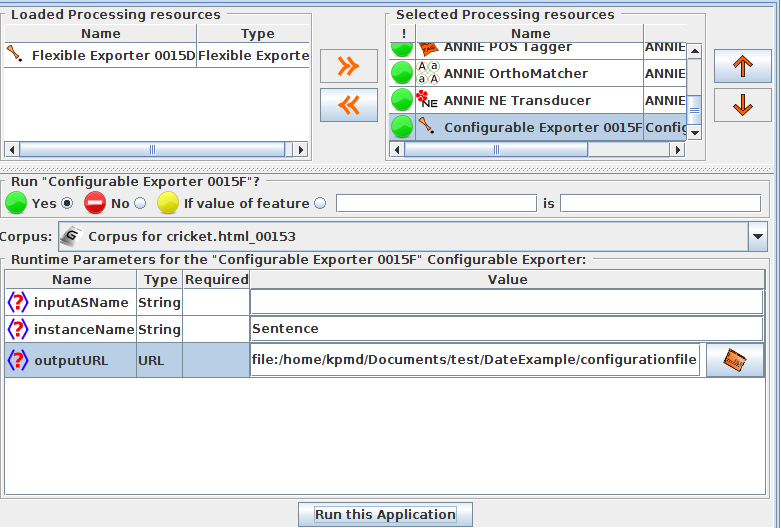
● inputASName: this is the annotation set which will be used to create the export file. All annotations must be in this set, both instance annotations and export annotations. If left blank, the default annotation set will be used.
● instanceName: this is the annotation type to be used as instance. If left blank, the document will be used as instance.
● outputURL: this is the location of the output file to which the data will be exported. If left blank, data will be output to the messages tab/standard out.
our config file is in this way
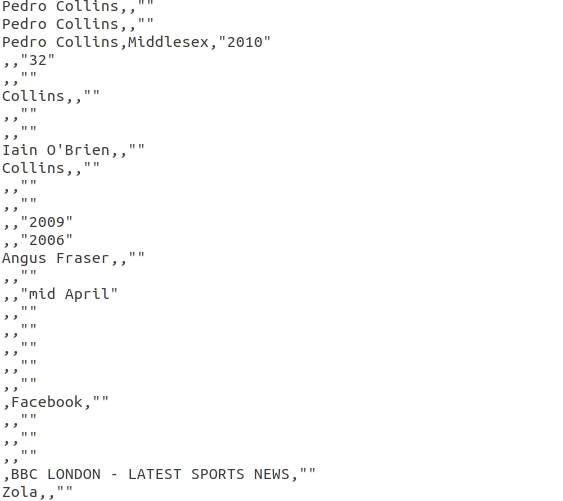
{Person},{Organization},"{Date}"
Infer Result