Chunking:
Sequence tagging, also called Chunking, which finds annotations, such as locations or persons, within the text.Here we want to find where an annotation should be placed in the given text.
In gate Chunking is done using two steps 1)training chunking model 2)testing chunking model
Training chunking Model:
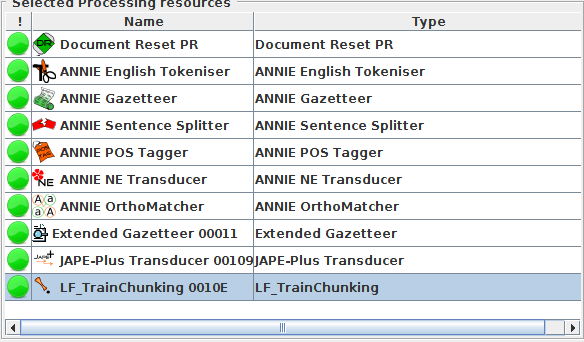
This is done by using LF_TrainChunking Processing Resource in gate.This way of creating a model for finding chunks, or class annotations, can be carried out by two kinds of learning algorithms: sequence tagging algorithms and conventional classification algorithms.
Sequence tagging algorithms:
Sequence tagging algorithms use a whole sequence of instance annotations(for example, a Sentence or Paragraph) to make a decision about whether a class annotation should start, continue or end at that instance annotation, also considering dependencies between the instance annotations and dependent annotations.
Sequence tagging algorithms are mostly used for chunking task.
Here we will consider an example for better understanding.we are going to train the model to obtain "ResumeHeading" annotation from sample resumes
Run-time Parameters:
algorithmParameters (String, no default) parameters influencing the training algorithm (Not required as of now)
classAnnotationType the annotation type of the annotations which the model should learn to find,here it is "ResumeHeading".
dataDirectory (URL, no default, required) the directory where to save all the files generated by the algorithm (model file, dataset description file, information file etc).
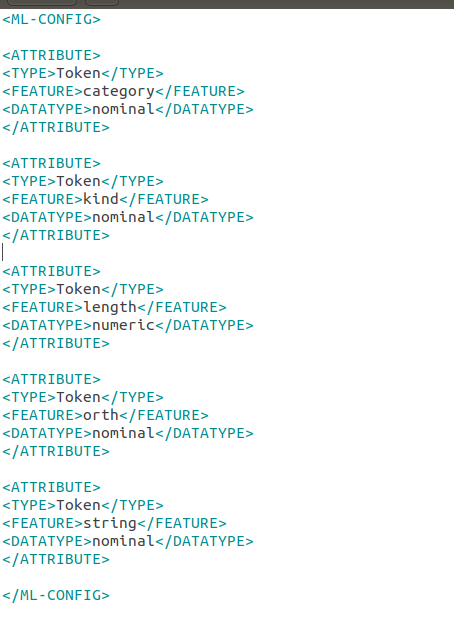
featureSpecURL (URL, no default, required) the XML file describing the features to use
In our example we are using only token features in the xml file.
inputASName (String, default is the empty String for the default annotation set) input annotation set containining the instance annotations(Token in our example), the annotations specified in the feature specification and the sequenceSpan annotations(Sentence), if used.
instanceType (String, default “Token”, required) the annotation type of instance annotations.
scaleFeatures Let it be None as of now.
sequenceSpan (String, no default) this must be used for sequence tagging algorithms only! For such algorithms, it specifies the span across which to learn a sequence; for example a sentence is a meaningful sequence of words.
trainingAlgorithm the chunking training algorithm to use ,in our example we are using "MalletCRF_SEQ_MR"(which is a sequence algorithm
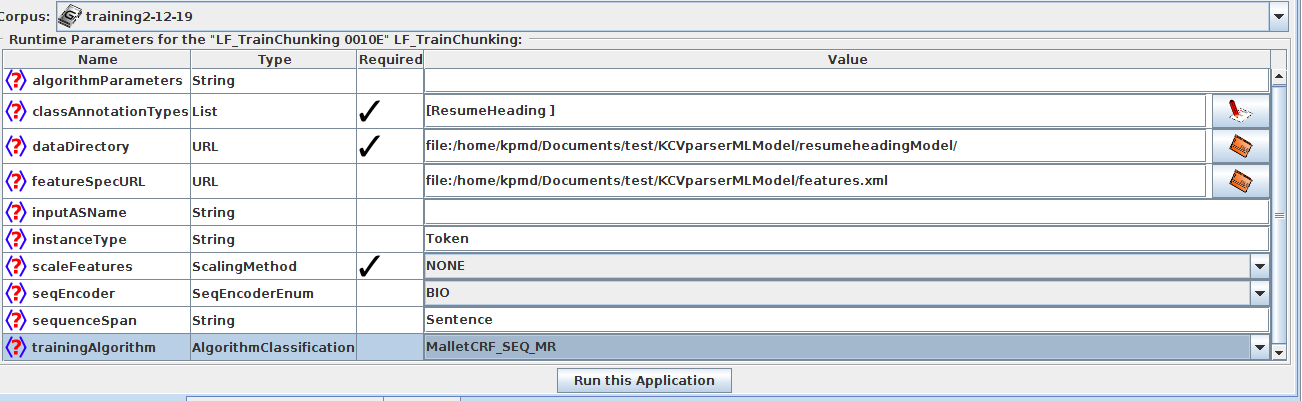
Run this pipeline over the training corpus and after training remove the training pr from the pipeline.
Testing chunking Model:
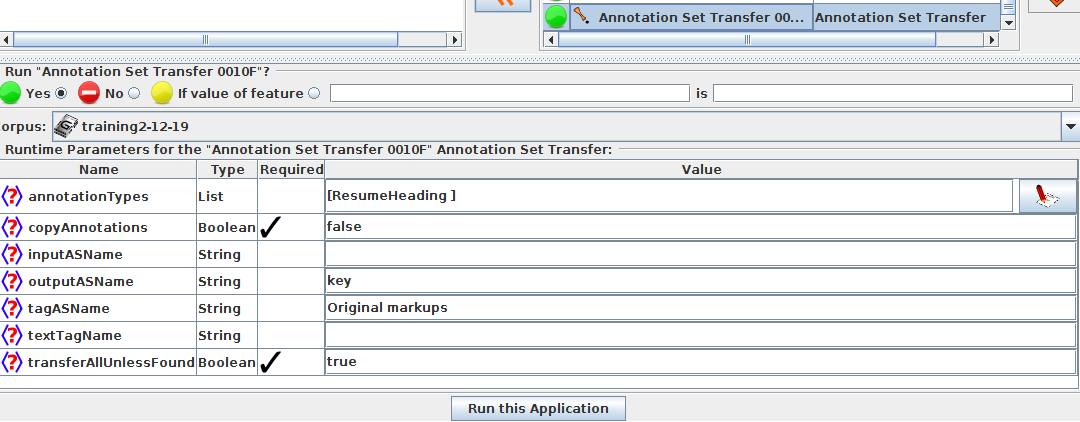
Before going for testing the model with testing corpus ,move the required annotation "ResumeHeading" from default annotation set to key set for evaluation(discussed in before chapter) using Annotation set transfer
Now add LF_ApplyChunking Processing Resource to the pipeline to test the model obtained from training pr on the testing corpus.
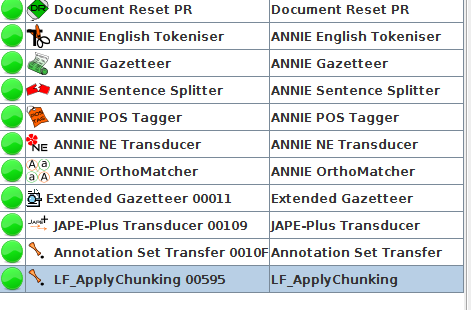
Run-time Parameters:
algorithmParameters: You can leave it blank.
confidenceThreshold (double, default: empty, do not use):You can leave it blank as of now.
dataDirectory: the directory where the trained model is saved
inputASName: the input annotation set containing instance annotations and attribute annotations
instanceType: the annotation type to classify; probably Token or equivalent
outputASName: annotation set where the new chunk annotations are placed (blank/not specified means the default annotation set)
sequenceSpan: for sequence classifiers only, the sequence span you gave at training time (or equivalent).

###Output:
our desired "ResumeHeading" annotation will be created in the learning framework set using the instance annotation Type "Token" ,now we can evaluate our annotation with the annotation present in key set this can be done by using
Corpus Quality Assurance:[Click Here](http://127.0.0.1:8000/gate/eval_CorpusAssurance/#corpus-quality-assurance)
