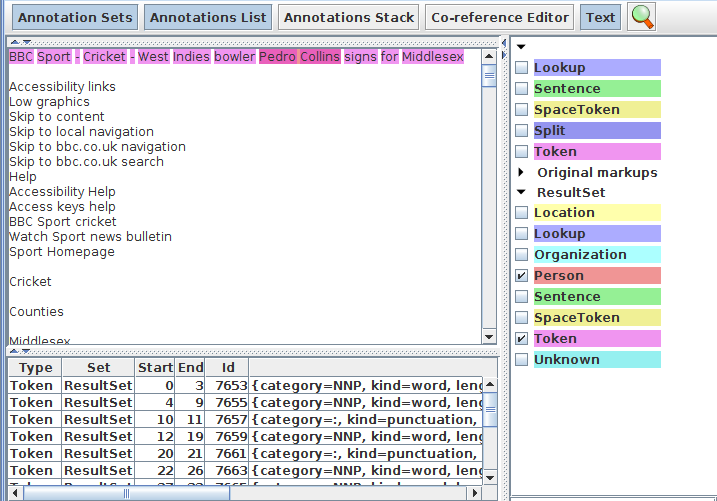
Annotation Set Transfer
• This PR enables copying or moving annotations from one
set to another
• As with the Segment Processing PR, you can specify a
covering annotation to delimit the section you're interested in
• One use for this is to change annotation set names or to
move results into a new set, without rerunning the
application
• For example, you might want to move all the gold standard
annotations from Default to Key annotation set
Transferring annotations
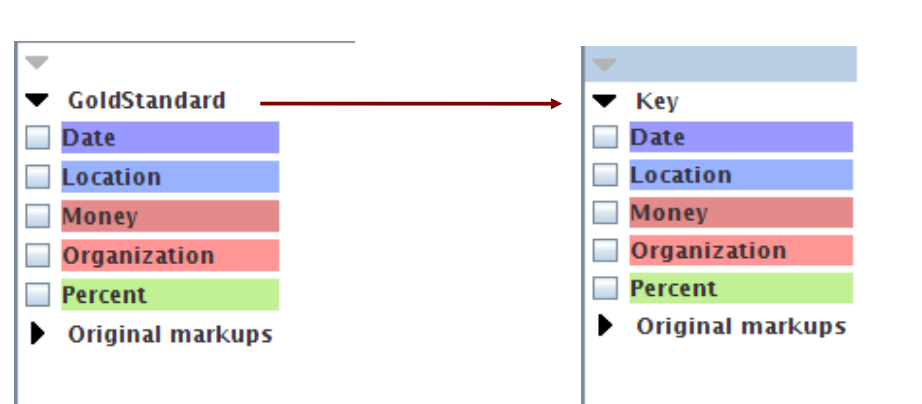 The annotations remain the same, they're just stored in a different set
Hands-on Exercise
• Objective: move all the annotations from the Default set into the
Key set
• Clear GATE of all previous documents, corpora, applications
and PRs
• Load document self-shearing-sheep-marked.xml from hands-on material and create an
instance of an AST (you may need to load the Tools plugin)
• Have a look at the annotations in the document
• Add the AST to a new application and set the parameters to
move all annotations from Default to Key
• Make sure you don't leave the originals in Default!
• Run the application and check the results
Delimiting a section of text
• Another use is to delimit only a certain section of text in which to
run further PRs over
• Unlike with the Segment Processing PR, if we are dealing with
multiple sections within a document, these will not be processed
independently
• So co-references will still hold between different sections
• Also, those PRs which do not consider specific annotations as
input (e.g. tokeniser and gazetteer), will run over the whole
document regardless
Processing a single section
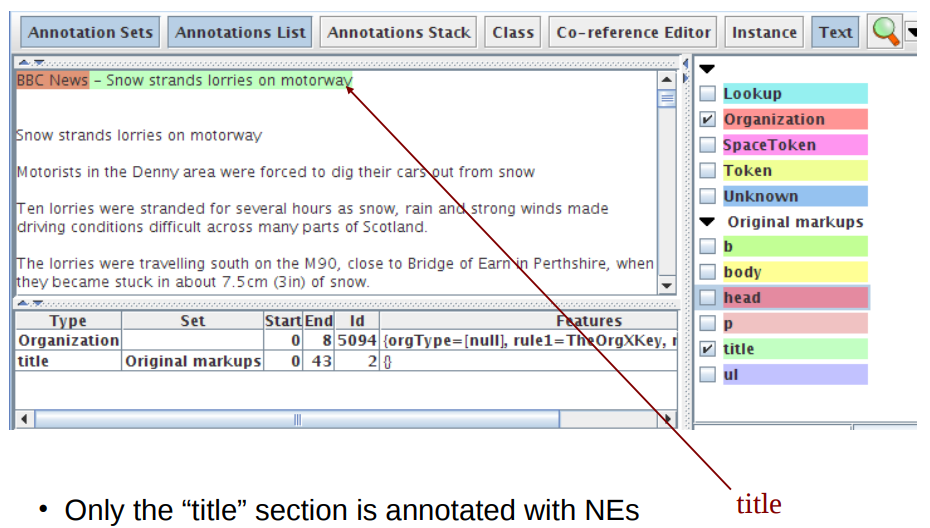
Transferring title annotations
• But the rest of the document remains tokenised
• These Tokens remain in the Default set because they weren't moved.
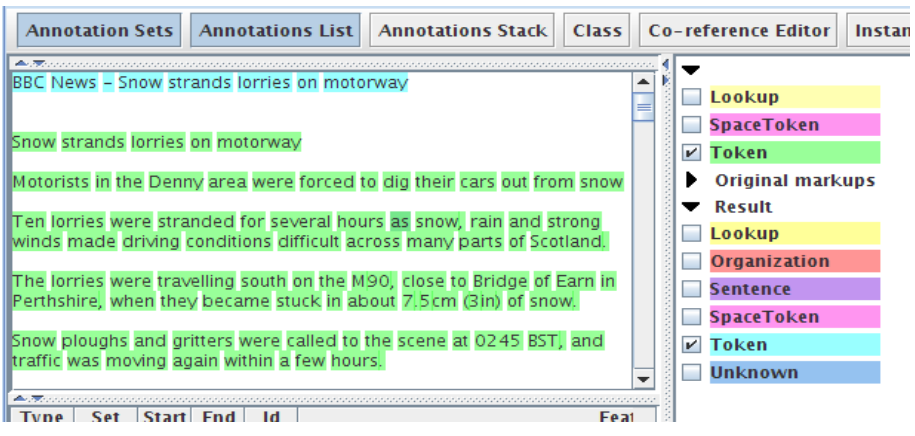
Setting the parameters
• Let's assume we want to process only those annotations covered by the
HTML “body” annotation (i.e. we don't want to process the headers etc.).
• We'll put our final annotations in the “Result” set.
• We need to specify as parameters
- – textTagName: the name of the covering annotation: “body”
- – tagASname: the annotation set where we find this: “Original
markups”
- – annotationTypes: which annotations we want to transfer
- – inputASname: which annotation set we want to transfer them
from: “Default”
- – outputASname: which annotation set we want to transfer them
into: “Result”
Additional options
There are two additional options you can choose
• copyAnnotations: whether to copy or move the annotations
(i.e. keep the originals or delete them)
• transferAllUnlessFound: if the covering annotation is not
found, just transfer all annotations. This is a useful option if you
just want to transfer all annotations in a document without
worrying about a covering annotation.
Parameter settings
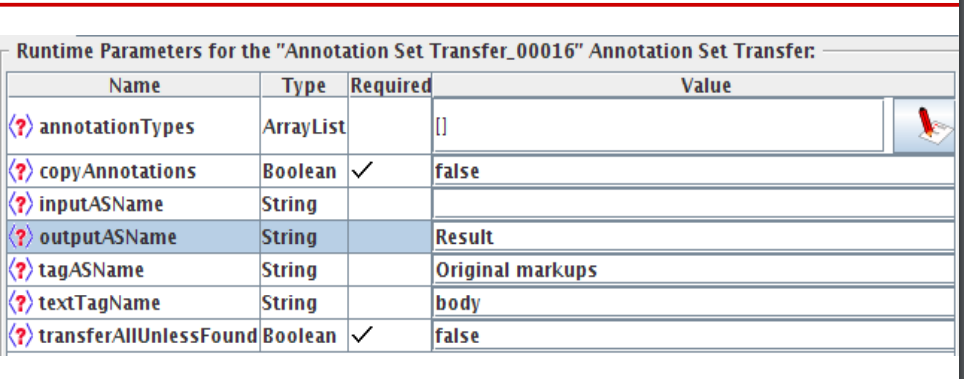
•Move all annotations contained within the “body” annotation (found
in the Original markups set), from the Default set to the Result set.
•If no “body” annotation is found, do nothing.
Using it within an application
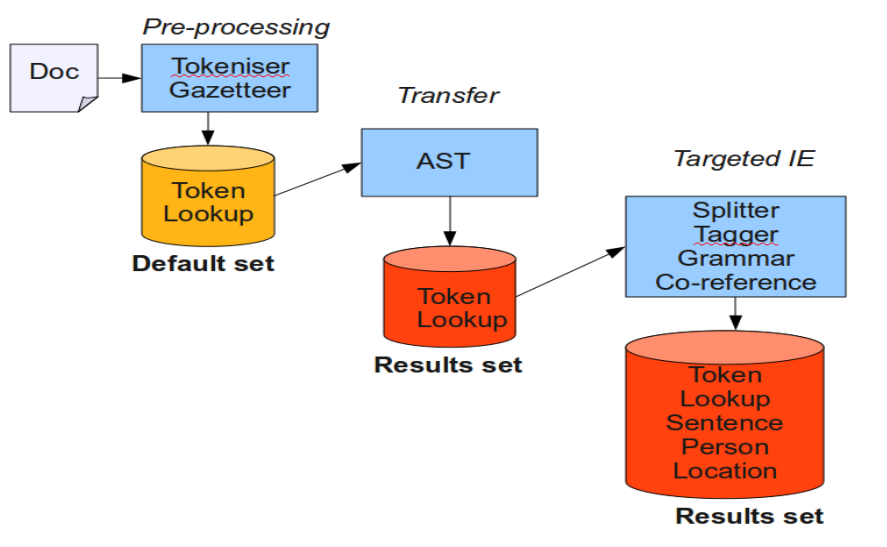
• We want to run ANNIE over only the text contained within the
“title” text
• Apart from the tokeniser and gazetteer, the other ANNIE PRs all
rely on previous annotations (Token, Lookup, Sentence, etc.)
• We run the tokeniser and gazetteer first on the whole document
• Then use the AST to transfer all relevant Token and Lookup
annotations into the new set
• Then we can run the rest of the ANNIE PRs on these
annotations
• To do this, we use for inputAS and outputAS the name of the
new set “Result”
Application architecture
Hands-on: processing a document section
● We will modify ANNIE to only run over the title of the document
● Load the document cricket.html and create a corpus with it
● Load ANNIE
● Add an AST immediately after the tokeniser and gazetteer
● Set the AST parameters to move all annotations contained within
the “title” annotation (found in the Original markups set), from the
Default set to the Result set.
● If you get stuck, check the slide “Setting the Parameters”
● Modify the Input and Output set of all following PRs to “Result”
● Run on the corpus and inspect the results