SQL Keys
Creating Primary Key, Foreign Key and Default Constraint
Primary key, Foreign Key and Default constraint are the 3 main constraints that need to be considered while creating tables or even after that. It seems very easy to apply these constraints but still we have some confusions and problems while implementing it. So I tried to write about these constraints that can be created or added at different levels and in different ways or methods.
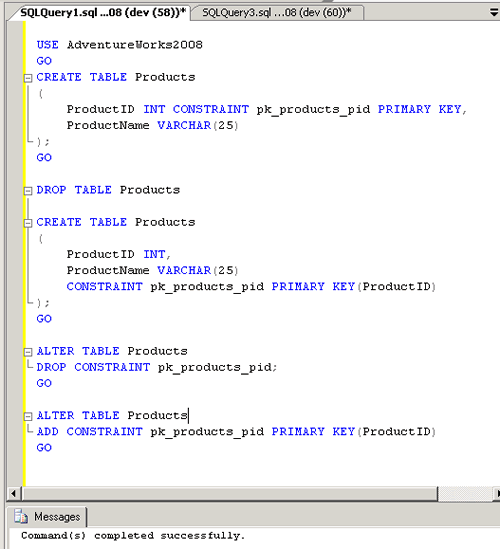
Primary Key Constraint: Primary Keys constraints prevents duplicate values for columns and provides unique identifier to each column, as well it creates clustered index on the columns.
1) Create Table Statement to create Primary Key
a.Column Level
1 2 3 4 5 6 7 8 9 10 | |
b.Table Level
1 2 3 4 5 6 7 | |
2) Alter Table Statement to create Primary Key
1 2 3 | |
3) Alter Statement to Drop Primary key
1 2 3 | |
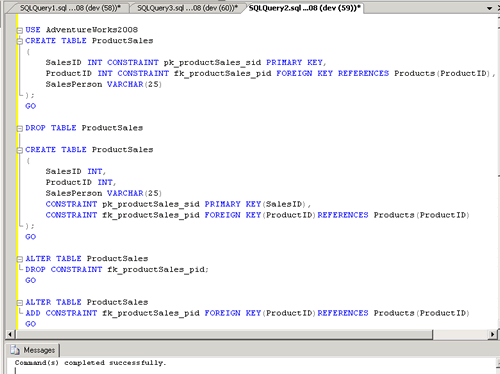
Foreign Key Constraint: When a FOREIGN KEY constraint is added to an existing column or columns in the table SQL Server, by default checks the existing data in the columns to ensure that all values, except NULL, exist in the column(s) of the referenced PRIMARY KEY or UNIQUE constraint.
1) Create Table Statement to create Foreign Key
a. Column Level
1 2 3 4 5 6 7 8 9 10 | |
b. Table Level
1 2 3 4 5 6 7 8 9 | |
1) Alter Table Statement to create Foreign Key
1 2 3 | |
2) Alter Table Statement to Drop Foreign Key
1 2 3 | |
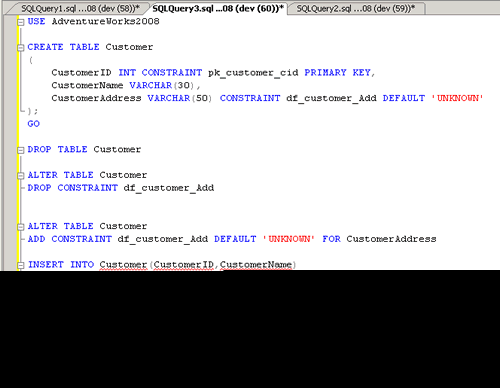
Default Constraint: Default constraint when created on some column will have the default data which is given in the constraint when no records or data is inserted in that column.
1) Create Table Statement to create Default Constraint
a. Column Level
1 2 3 4 5 6 7 8 9 | |
b. Table Level : Not applicable for Default Constraint
2) Alter Table Statement to Add Default Constraint
1 2 3 | |
3) Alter Table to Drop Default Constraint
1 2 3 | |