Query Alerts 
Query Alerts are KPAI generated Queries / alerts based on predefined Query Alert criteria.
Query Alerts helps CDS by providing alerts which are generated on available patient data such as Demographics , DX & PCS codes , vitals , labs , medications and document context.

CDS can edit,modify and save the Alert to query physician.
Physician Finds these queries from their respective window and replies to CDS Queries.
Query Submission
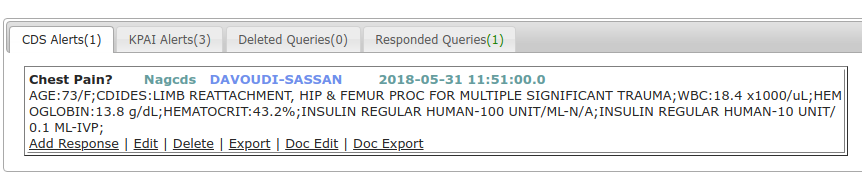
Queries are done by CDS to physician, Physician gives response to query to improve clinical documentation. Following are different tabs present in this section.
KPAI Alerts:
Queries generated automatically by KPAI are KPAI Alerts. All KPAI Alerts are listed under this section.
CDS Alerts:
Queries done by CDS will be listed under this tab.
Deleted Queries:
All deleted CDS queries & KPAI alerts will be listed under this section.
Responded Queries:
All responded queries will be listed under this section.
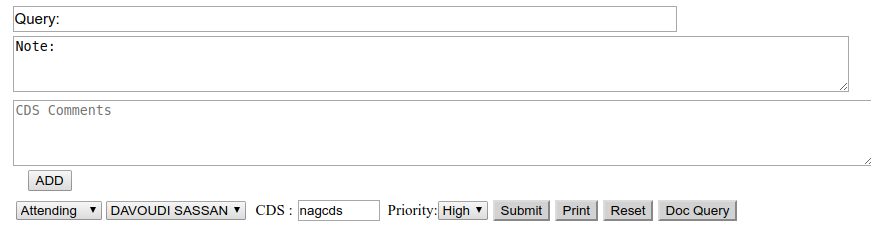
Doc Query:
Enter Query name,Query,QueryTo - Type,Physicain,Template,Priority,date & time.Click on Save / Save & Export button.
Query will be listed under CDS Alerts.
Query-Edit :
User can Edit both CDS Queries and KPAI Alerts.
If user edits and submit KPAI alert,then the alert will be moved in to CDS Alerts section.
Click on EDIT button present under each query.
All data fields from CDI dash board will be highlighted.CDS can deselect existing data and select new data and enter new data and Submit Query.
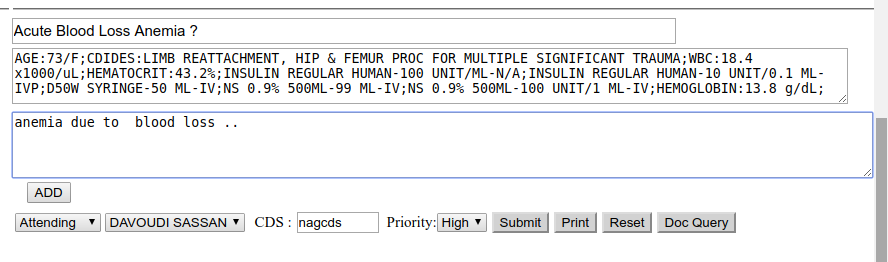
Submit Query:
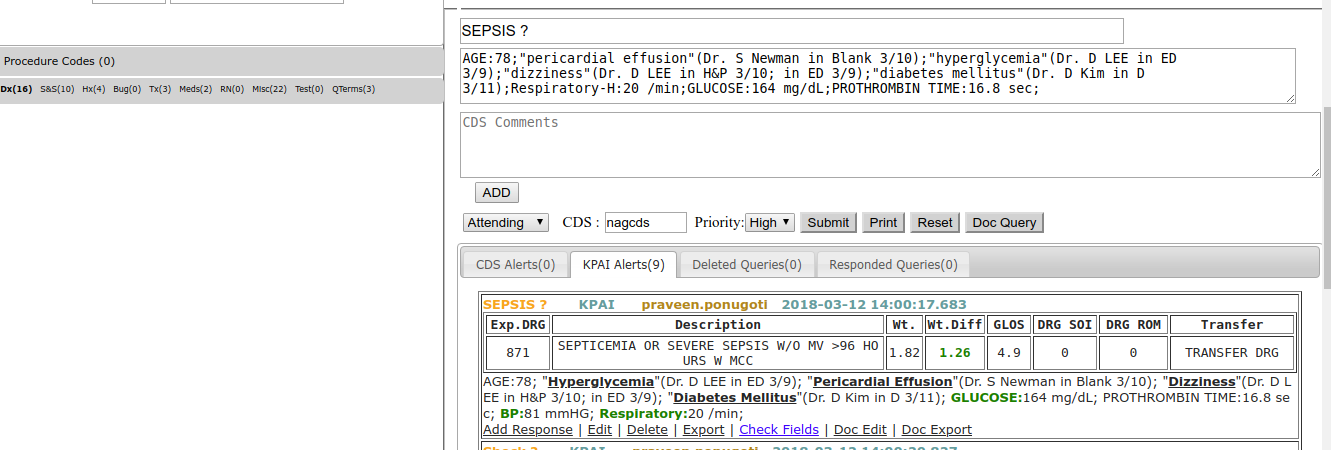
Select required data From CDI DASH BOARD, Enter data in CDS Comments and click on ADD-Button.Data will be added to NOTE section.
Select data from View documents, a new Pop-Up window will be opened and click on "Add To Query" button.
Data will be added to Query Note field and SnomedCT-Qterms section.Then click on Submit button.
Query will be listed in CDS Alerts tab.
Query-ADD Response :
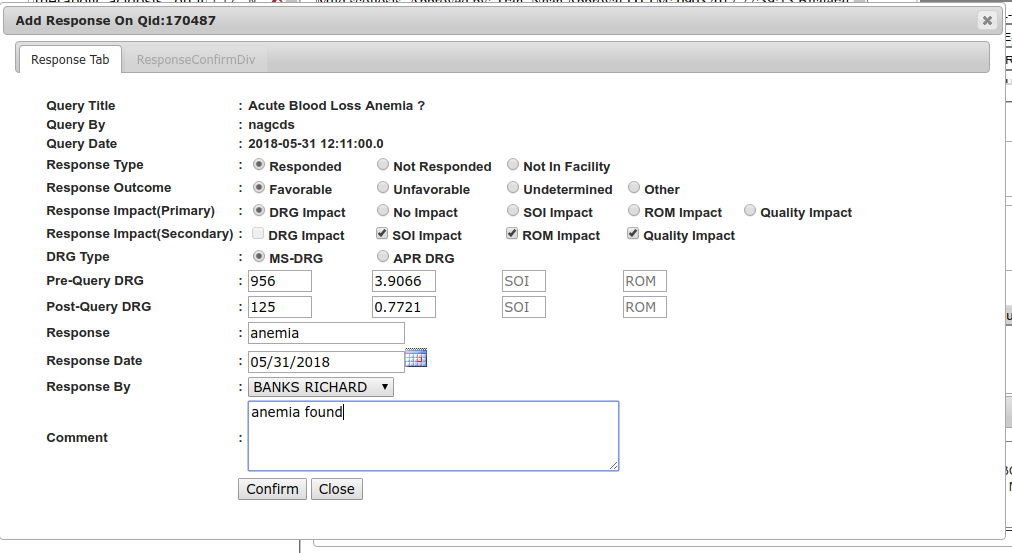
Response is given to query by physicians.
Add Response- link is provided for every query .
Click On AddAdd Response- link to open ADD RESPONSE window.
Select Response Type,Response OutCome,Response Impact(Primary),Response Impact(Secondary),DRG Type,Pre-Query DRG,Post-Query DRG,Response,Response Date,select Physician name from Response By - DropDown list,Enter comment and click on Confirm button.
Query-Delete :
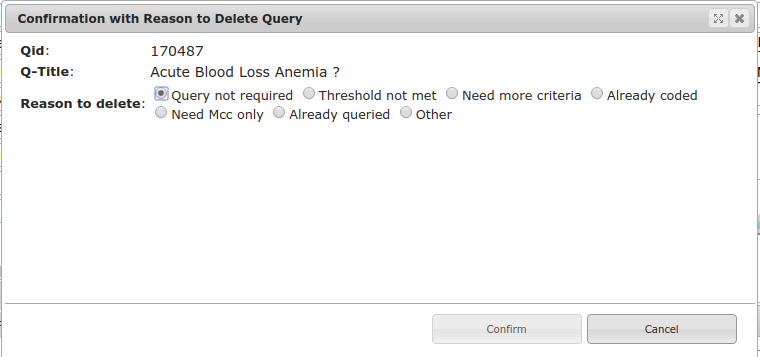
User can delete both CDS Queries and KPAI Alerts.
Click on delete-link present under each query.New window will be opened to confirm deletion of query.
Select reason to delete query and click on Confirm button.
Query-Export :
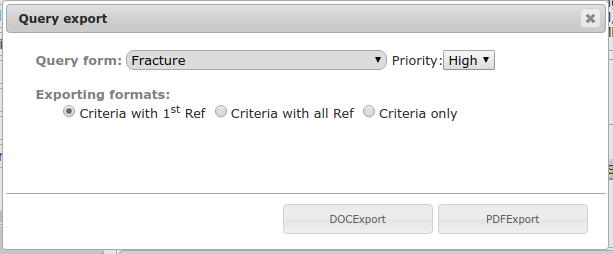
user can export both CDS Queries and KPAI Alerts to diagnosis PDF or DOC form.
Click on Export- link present under each query .
A new window - Query Export will be opened.Select query form from Query-form dropdownList,Select any type of exporting formats and click on DOCEXPORT button to export and download into DOCFormat file or click on PDFEXPORT button to export and download into PDF format file.
Query-Mark as Query-Check Box :
Select Mark as Query - Check box to indicate that query is exported and is valid query.
Query-DOC Edit :
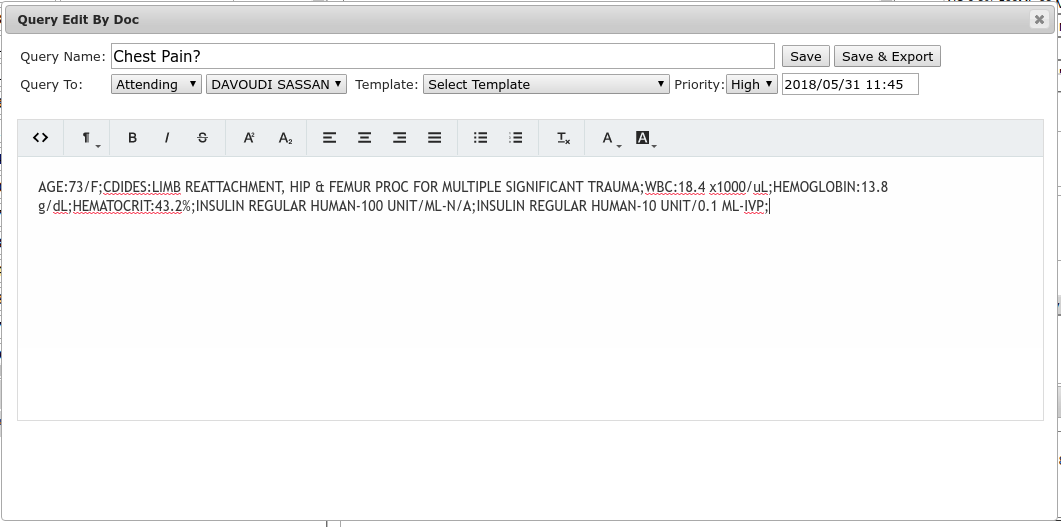
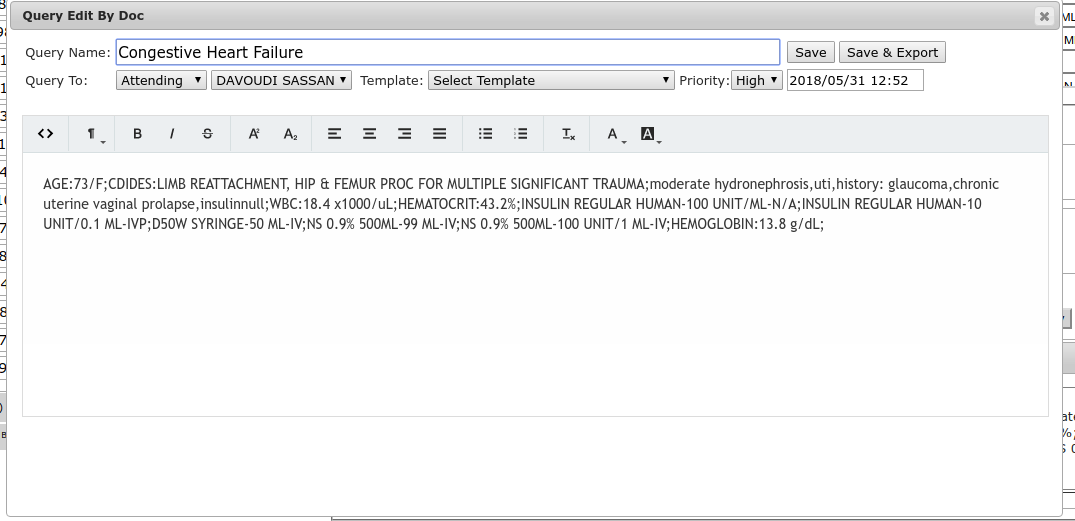
Doc Edit is to edit Doc Queries(Queries generated from Doc Query).
Select DOC Edit for the query and enter data or delete existing data and click Save or Save or Export button.
Query-DOC Export :
Doc Export is to export Doc Queries(Queries generated from Doc Query) in to word document.
