Welcome to Clinote App User Guide


Overview
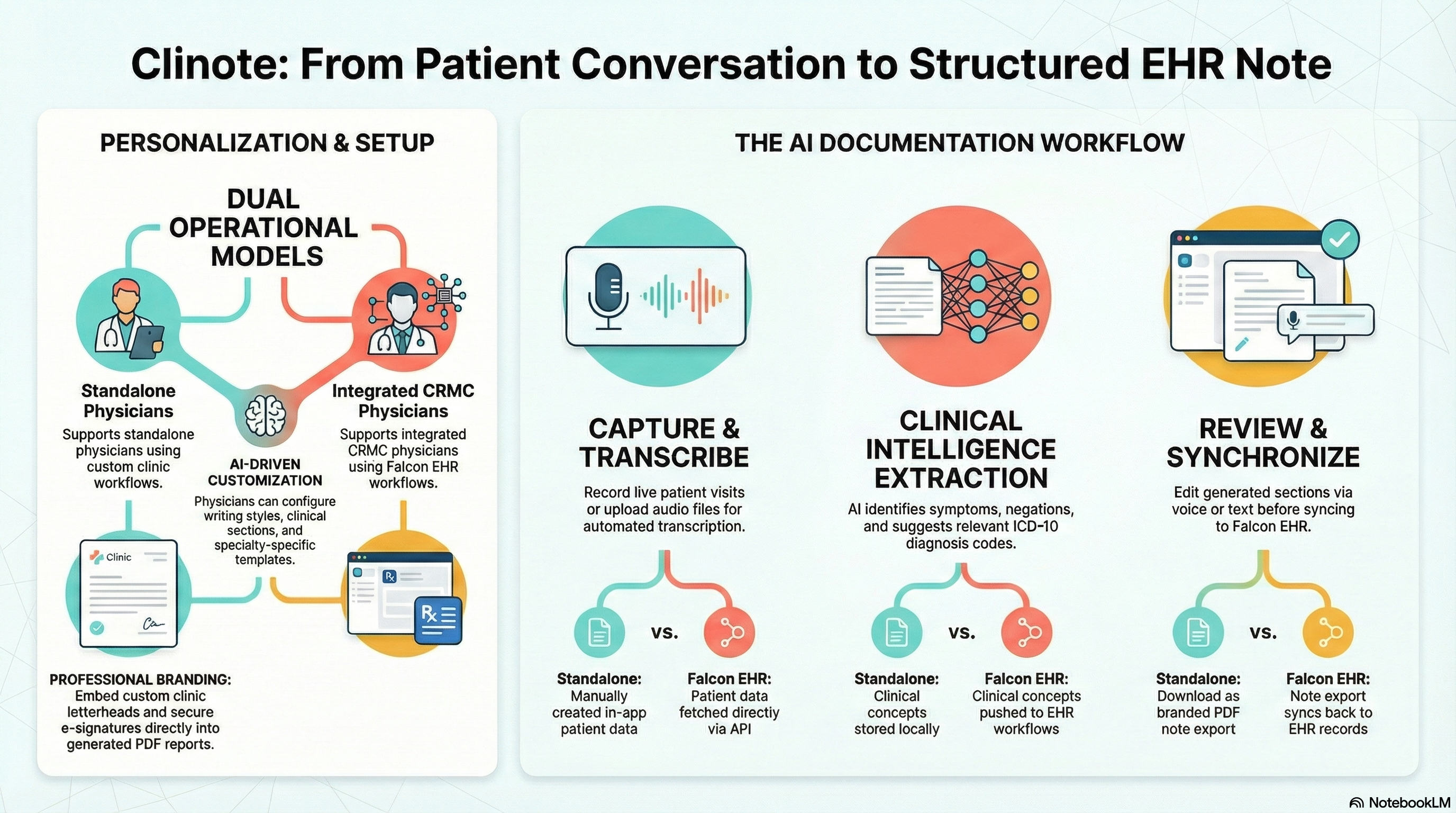
Clinote is a cutting-edge mobile application designed to revolutionize clinical documentation. By leveraging advanced voice recognition and AI, Clinote allows physicians to generate accurate, structured clinical notes directly from patient conversations or dictations.
Key capabilities include:
-
Seamless Integration: For CRMC physicians, Clinote integrates directly with Falcon EHR, allowing for real-time syncing of patient lists and reports.
-
Smart Automation: Features like role tagging, clinical annotations, and automated coding streamline the documentation process.
-
Flexible Customization: Tailor the app to your workflow with custom templates, letterheads, and personalized settings.
This user guide provides a comprehensive walkthrough of all features, from initial registration to generating and signing complex clinical reports.
Watch the Intro
Core Functionality
-
Clinical Note Generation: Generate accurate clinical notes from live dictation or audio files.
-
Falcon EHR Integration: Seamlessly sync patient data and reports with Falcon EHR (for CRMC physicians).
-
Customizable Templates: Use standard templates or create your own to match your documentation style.
-
Clinical Tools: Benefit from role tagging, clinical annotations, and coding features.
Getting Started
Navigate through the sections to learn more about:
- User Documentation: Complete user documentation covering registration, authentication, patients, notes, EHR integration, e-signatures, templates, and more.